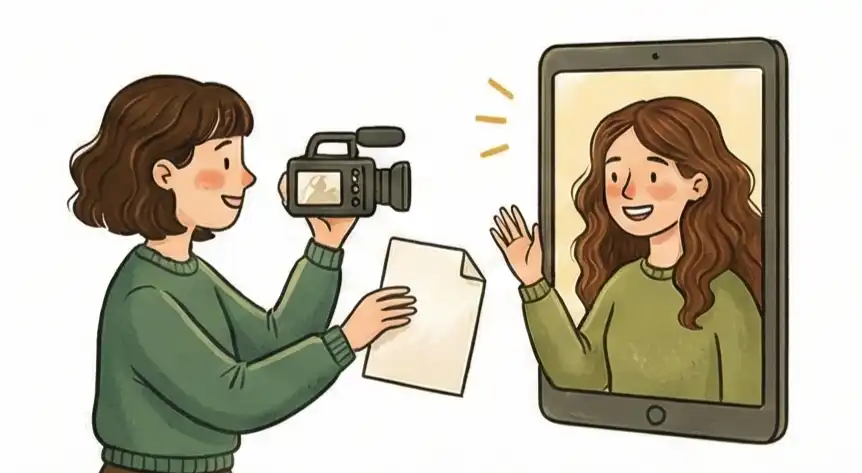
Expert Facts: The Simple Logic of Being Seen Online
-
01
Trust & Talking (Camera ON) When you need to build trust, talk through tough issues, or solve problems, keep your camera on. Seeing small facial changes and body language gives us needed information, making it easier to understand what people mean.
-
02
Just Reporting (Camera OFF) If you are just sharing information or giving updates, turn the camera off. This stops us from getting distracted and stops us from using mental energy watching ourselves, which causes tiredness.
-
03
Deep Work (Screen First) When a meeting is mostly about looking closely at a screen or thinking hard about data, the shared screen is the most important thing. The video of faces just gets in the way of understanding the important information.
-
04
AI Tools & Summaries Computer programs look for the most important information first. Video feeds are only important when they match what is being said. Otherwise, they are just extra information that slows down how well the computer can summarize the meeting.
Smart Ways to Be Seen Online
Deciding whether to turn on your camera in video meeting etiquette isn't about being polite; it's a smart way to manage what information is important. If you treat the camera like a simple on/off switch instead of a choice you think about, you waste your most limited resource: your thinking power. Most people just copy the camera setting of the most important person in the meeting, no matter what the meeting is actually about.
This is a mistake in planning. By trying too hard to look engaged instead of actually doing good thinking work, you hide your real value under unnecessary noise, leading to busy meetings that don't actually achieve much.
To solve the problem of feeling drained while still building good working relationships, you need to look at the Importance of Signal vs. Interaction. This idea should guide how you present yourself, telling you if your face is adding helpful context or just distracting from the main point.
When a meeting is about creating new ideas, what you see matters. When it's just about getting facts, that same visual information can be a burden. Here is a guide to help you decide, so you can stop getting tired from online meetings and make sure your video presence helps the goal, instead of just being a cost of doing business.
What is Zoom Fatigue?
Zoom fatigue is the exhaustion people feel after spending extended time on video calls. According to Stanford University's Virtual Human Interaction Lab (2021), women report higher levels of fatigue than men, with 13.8% of women experiencing very to extremely high fatigue compared to 5.5% of men. The research identified five distinct dimensions of this fatigue: general, social, emotional, visual, and motivational exhaustion.
This drain comes from what researcher Linda Stone (1998) termed "Continuous Partial Attention"—the state of constantly monitoring your own appearance while processing meeting content. Unlike simple multitasking, continuous partial attention is driven by the need to stay connected and not miss anything, which over time leads to over-stimulation and a reduced ability to think creatively.
Meetings That Create vs. Meetings That Inform vs. Smart Meetings
| What Matters | Creating (Video ON) | Informing (Video OFF) | Smart (Switching) |
|---|---|---|---|
| The Main Point | Showing You Are Active | Focusing on the Task | Adapting to the Situation |
| What Others See | Building Good Relationships | Getting Things Done Fast | Shows High Skill Level |
| What AI Cares About | Checking Mood & Focus | Clean Information Flow | Tracking Smart Attention |
| Biggest Danger | Always Being Tired on Zoom | Looking Like You Don't Care | Awkward Social Timing |
| Bottom Line | Best for trust-building, brainstorming, and high-stakes meetings where nonverbal cues matter | Best for status updates, large meetings, and deep focus work where the content is king | Optimal strategy: Match video use to meeting purpose, not social norms |
Why Turning Your Camera On or Off in Virtual Meetings is About the Signal-to-Interaction Ratio
In online work, deciding to use your camera is often seen as just being polite. But from a thinking perspective, that’s wrong. It's actually about managing your Thinking Load, balancing it with the Signal-to-Interaction Ratio. This ratio decides if seeing you is Helpful Information (something that makes the message clearer) or just Extra Noise (something that makes your brain work harder).
1. When Visuals Add Value: Seeing is Believing
Meetings Where You Create StuffHow it Works
In meetings where you are creating things or sorting out disagreements, the Signal-to-Interaction ratio is high. Here, your face—small expressions, where you look—is strongly tied to what you are saying.
What Happens
When the ratio is high, your video acts as Helpful Information. It gives the context needed to understand small differences in meaning, making your brain use less energy trying to guess what people really think. Neuroscience research shows that emotions are processed in the limbic system (including the amygdala and prefrontal cortex), while visual emotion perception involves the superior temporal sulcus, enabling us to read subtle facial cues. When you don't use the camera in these moments, your brain works harder to imagine the missing cues. A Zoom report (2023) found that 84% of managers feel better equipped to build strong teams when colleagues have videos on. In these cases, video-on isn't just manners—it's needed to pass information clearly.
2. When Visuals Don't Add Value: Seeing is Distracting
Meetings Where You Just ReportHow it Works
But in meetings where you are just reporting facts or updating on progress, the Signal-to-Interaction ratio drops. When the main point is just sharing facts, seeing many faces becomes Extra Noise. It’s visual clutter that doesn't help the actual information.
What Happens
In these cases, having the camera on forces you into a state where you are always watching yourself—called "Continuous Partial Attention." A big part of your brain is used up just managing how you look. This costs a lot of mental energy for no real benefit to the meeting. Since the video doesn't help the facts, your brain feels like being on camera is a burden, leading to that tired feeling known as "Zoom Fatigue."
3. Being Smart About It: When to Use Which Mode
Smart Thinking at WorkHow it Works
Just copying what the boss does is like taking blind advice—it ignores how our brains actually use energy. To be good at online meetings, you need to be actively choosing based on Advocacy: defending your team's thinking power.
What Happens
How you weigh your data depends on what the meeting is for:
- Focus on Connection: If the point is building trust, seeing faces is the most useful data. The Signal-to-Interaction ratio is the main thing.
- Focus on Thinking: If the point is technical math or deep focus, seeing faces is a distraction. The shared screen or the data is the only thing that matters.
Summary: The Thinking Trade-Off
The push and pull between video-on and video-off is a fight between Feeling Connected and Mental Strain. The Signal-to-Interaction Ratio helps you stop trying to just "look" engaged and start matching your online presence to what the work demands. If seeing faces doesn't reduce confusion about the message, then it's a mental drain. Real skill in meetings means making sure the most important information—whether it's your face or your ideas—gets the most brain energy.
Checking Your Video Habits
Creating (Video-On): Taking the Risk to Be Seen
The Plan: This is about using your face and body language to look trusting and clearly engaged, which words alone can't do. You trade privacy for social points. Similar to mastering virtual handshake professionalism, your video presence communicates credibility.
The Risk: You can end up just pretending to be busy instead of actually working well. If your face doesn't match the seriousness of the topic, you aren't building trust—you're just annoying people with a fake-looking, tired video presence.
Best Use: When you absolutely need people to trust you quickly, like in new job interviews, or when solving a creative problem where body language is key.
Informing (Video-Off): Choosing Pure Efficiency
The Plan: This choice saves brain power by removing the need to perform visually. You focus 100% of your thinking power on understanding and doing the work.
The Risk: You risk becoming the person nobody notices or remembers, making you easy to forget or replace. If you do this during a team effort, it looks like you've quit paying attention, which ruins your professional image.
Best Use: When you are just listening to status updates, watching a technical demo, or sitting in on huge company meetings where your face adds nothing to what is being said.
Smart (Switching): Using the Camera as a Tool
The Plan: This is what skilled people do: they use the camera like a precise tool, not a default setting. They turn it on to show they care during relationship-building moments and turn it off during deep thinking moments, getting the best result for their energy level.
The Risk: If you switch at the wrong time, you look strange or like you're hiding something. If you turn your camera off right when a manager asks you a tough question, you don't look smart—you look like you're avoiding responsibility.
Best Use: Long training sessions or deep work periods that switch between needing emotional buy-in and needing intense, focused technical work.
Deciding When to Be Seen Online: A Simple Guide
The Climber (Moving Up)
On the Promotion PathWho This Is For: You are doing well and trying to get a better job or move into a senior role at your current company.
The Changer (Starting Fresh)
Changing Your ImageWho This Is For: Moving to a new field or job and needing to show people who you are now, while you learn the new group's rules.
The Newcomer (Building Trust)
Making a Good First ImpressionWho This Is For: New employee, recent graduate, or returning to work after a break; your main goal is to build trust quickly. Consider pairing strong video presence with video introduction techniques to make memorable first impressions.
Using Cruit for Smarter Decisions
For Tough Moments
Interview Practice ToolHelps you practice interviews so you sound natural and conversational, using the STAR method as a guide for good answers.
For Culture Questions
Career Guide ToolWorks like a helper guide to ask you questions and figure out what the company culture expects regarding being seen online.
For Meeting People
Networking HelpHelps you stop worrying about awkward small talk by finding good topics and common interests to bring up right away.
Common Questions
Should I keep my camera on in meetings?
Worrying about looking like you've quit is what makes people so tired online. But if the meeting is only for sharing facts, keeping your camera off saves your thinking power so you can actually understand what you are hearing. Being professional is about having good results, not just making sure you are visible.
When should I turn my camera on or off?
This is where knowing the difference helps you act smart. If a report (low visual need) suddenly turns into a teamwork session (high need for social signals), turning your camera ON shows everyone you are ready to contribute fully. This smart switch shows you have good judgment and helps the group know you are now actively involved.
Does camera-off hurt professional relationships?
Good relationships are built on trust and reliability, which suffer when you are present but too tired to focus. Skipping the mental drain of needless visuals keeps your energy high. So, when you do turn your camera on for important idea sessions, your input will be sharp. Real connection comes from high-quality interactions, not from always being a face on a screen.
Focus on what matters.
Your choice to switch your camera on or off is like your first work sample in every meeting—it shows if you care more about just looking busy or actually getting the work done. If you keep just copying the leader, you might hide your real value behind a presence that looks busy but is actually empty. To be good at online work and balance social connections with mental energy, you must treat your visual presence as something you control carefully. For job seekers, this same principle applies to creating video resumes—knowing when video adds value versus when it's just noise.
Check Your Plan