Important Points to Remember
Only use a video intro if the job is about talking a lot, is in a creative area, or if the company asked for one. For normal office jobs, a regular resume is usually better.
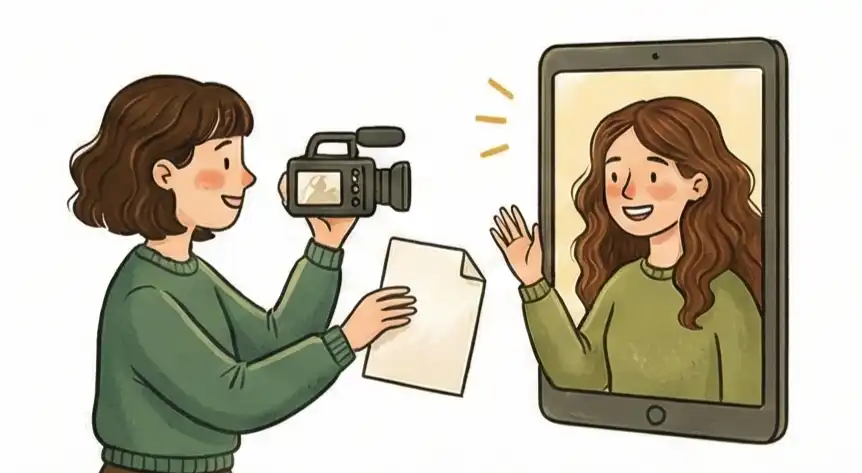
You don't need fancy movie gear, but you must have a steady camera at eye level, a quiet spot so your voice is clear, and a good light shining on your face so we can see you well.
Think of the video as a quick "personality peek" instead of reading your resume aloud. You want to show warmth and enthusiasm so the hiring person can see if you'd fit in with the team.
Make your video 60 seconds long or less. Talk about one key achievement that fits the job description, and finish with a polite "thank you."
Mastering Video Intros
Most people hate making video introductions because when you try too hard to sound perfect, you just end up sounding fake and awkward. This creates an uncomfortable feeling for everyone—called "Cringe Friction." Plus, many hiring managers see an unsolicited video as extra work they don't have time for when they are busy screening candidates.
The usual advice is to just film yourself reading your resume summary while focusing on the lights. That’s wrong. A video intro should not be a "Visual Resume." It should be a "Vibe Check" and a way to "Reduce Risk." Your resume already tells them what you did; the video shows them what it’s like to actually work with you.
If you send the video at the right time—as a smart follow-up instead of a required application step—you prove you can talk calmly and professionally. This helps the recruiter worry less about making a bad hiring choice.
This guide explains exactly how to use video technically and mentally to build trust and prove your worth.
What Is a Video Introduction for a Job Application?
A video introduction is a short, self-recorded clip (typically 45–90 seconds) that a job seeker sends to a hiring manager alongside or after their application. It demonstrates communication style, personality, and professional presence in ways a paper resume cannot.
Virtual interviews and one-way video introductions are now used in 86% of hiring processes globally, according to Statista (2025). That shift makes knowing how to record and send a strong video introduction a practical edge in any competitive job search.
The key distinction: a video introduction is not a video resume. It is a targeted presence tool sent strategically at the right moment in your application, not attached as a cold opener to every submission. Understanding on-camera professional etiquette is the first step to making yours land well.
The Presence-Proxy Rule: Why It Works
In business, a video isn't just a digital copy of your resume; it stands in for your real-life presence—it's a proxy for meeting you. When a recruiter watches, they aren't checking what* skills you have; they are checking *how you come across. Since hiring is risky and expensive, recruiters are naturally defensive and look for reasons to say "no" to save time. This Presence-Proxy Rule changes your video from something awkward into a tool that calms their worries.
The data confirms it: a 2024 recruiter survey found that 74% of hiring managers say video assessments make it easier to identify candidates who are a good cultural fit. A well-executed video introduction doesn't just help you stand out—it directly addresses the recruiter's biggest fear about making the wrong hire.
What They Think Subconsciously
Recruiters are tired of looking at too many things. If your video is a long, stiff read of your resume, you've given them extra homework. This causes Review Fatigue.
The Subconscious Question:
"Is this person respecting my time, or are they making me work harder?"
The Goal:
You pass by being quick (under 60 seconds) and offering something new. Don't repeat your past; give a short summary of your "why." When you are brief and clear, they feel relieved, not burdened.
What They Think Subconsciously
A resume can't show what it's like to sit across from you in an important meeting. Most people fail here by acting too stiff or reading lines. When you sound unnatural, it creates that awkward, unnatural feeling, or Cringe Friction.
The Subconscious Question:
"Can I put this person in front of a client or my boss right now?"
The Goal:
They are looking for Executive Presence. They want to see that you can talk about hard things calmly and professionally. You pass this test by not using a script and speaking naturally. They don't want an actor; they want a co-worker who is comfortable being themselves.
What They Think Subconsciously
Hiring is always a risk. A person might look good on paper but be a bad fit for the team culture or a difficult person to work with. This fear of making a mistake means your video acts as a Risk Reducer by giving a "vibe check" that a paper document can't.
The Subconscious Question:
"Does this person’s energy match what their resume says, or is there something hidden that I should worry about?"
The Goal:
By looking warm, calm, and professional, you close the gap between "stranger" and "trusted co-worker." You are giving them a small "test drive" of your personality. When they see someone easy to talk to, their fear of hiring the wrong person goes down.
This rule means your video should show off your confident, brief, and natural personality to reduce the recruiter's stress, rather than just selling your old jobs.
Check-Up: Analyzing Your Video Introduction
Hiring managers see hundreds of videos. Most are just sharing bad advice that wastes everyone's time. Here we compare the usual, unhelpful advice with the expert way to actually get noticed.
The "Fake Feeling": You look and sound stiff, awkward, and unnatural on camera, making the person watching feel uncomfortable.
"Just act natural! Smile more, make sure your lighting is perfect, and wear a suit so you look professional."
Focus on showing Executive Presence. Stop "performing" and start "meeting." Talk to the camera as if you are already in a serious meeting with the team. Use a calm voice to show you can handle stress—this calms the recruiter's fear that you might be a "difficult" hire.
The "Invisible Video": You spend hours filming and editing, but the viewing stats show that nobody is actually clicking the link.
"Add your video link to every single job application to stand out from everyone else who only sent boring resumes."
Send it at the Right Time. Recruiters are in "quick scan mode" when looking at initial applications; they don't want extra work. Never start with the video. Instead, send it as a short, personal follow-up video (45 seconds) to the hiring manager after you've made initial contact.
The "What I Already Wrote" Boringness: Your video is a 2-minute talk about facts and dates that are already written on your profile.
"Read a short summary of your resume to the camera so they can hear your career story."
The Vibe Check. Your resume lists your skills; your video should show your communication style. Use the video to answer the one question a paper can't answer: "What is it actually like to work with this person?" Keep it under 60 seconds and focus on how you solve their specific problems.
Video Intro Questions Answered
Won't a video intro just let bias ruin my chances?
The Real Story:
Yes, honestly. The second a recruiter hits play, they start judging your background, your accent, and your mood. But you are already being judged by a boring PDF anyway. A video lets you control what they see. If you're applying for a job that requires talking a lot (like Sales or Management), the risk of bias is smaller than the chance to prove you have the "presence" a resume can't show.
What Recruiters Think:
We use video to check if you are "smart enough to figure things out." If you apply for a remote tech job but don't know how to set up your camera or lighting, we assume your troubleshooting skills might be weak.
Do I need a fancy camera and professional studio gear to look serious?
The Real Story:
If your video looks too professional, it looks fake. The perfect look is "high-quality amateur": use a recent phone camera on a stand, use natural light from a window, and—most importantly—use a separate microphone or wired headphones for clear sound.
Pro-Tip:
Sound is more important than video. A recruiter will watch a slightly blurry video, but they will close a video in five seconds if the sound is echoey or bad. If we can't hear you well, we think you won't be clear on a Zoom call with a client.
Where should I put the video so people will actually watch it?
The Real Story:
Never, ever attach a video file (like a .MOV) to an email or application form. Company security systems often block these files, or they might delete your email before it even gets to the recruiter. Also, no one wants to download a huge file from someone they don't know.
Pro-Tip:
Use the right timing. Upload the video to YouTube as "Unlisted" or use a tool like Loom. Put the link right in your signature or at the top of your resume. Use a clear call to action like: "Watch my 60-second highlights reel here [Link]." This makes it easy—the fewer clicks it takes to see you, the more likely we will watch it.
When is making a video intro a complete waste of effort?
The Real Story:
If you are applying for many basic, entry-level jobs, or highly technical jobs where you won't talk much, a video can actually look like you are trying too hard. Recruiters for these jobs are just looking for "Keywords" and "Experience Years" using scanning software. They won't click your link because they have 500 resumes to check.
What Recruiters Think:
Save the video for jobs where you are switching fields or are slightly under-qualified on paper. In those cases, the video is your tool to explain why your different background is actually a secret advantage. For jobs you are already perfect for, just use your resume and focus on building a strong job search strategy to get it in front of the right people.
How long should a video introduction be?
The Answer:
Keep it to 60 seconds or less for a follow-up video. For a requested video application, 90 seconds to 2 minutes is acceptable if the employer specified a format.
What Matters Most:
Sound quality matters more than length. A tight 45-second clip with clear audio will outperform a polished 3-minute production where half the content repeats your resume. Recruiter attention drops sharply after the first 30 seconds, so lead with your strongest point immediately.
Should I send a video if the job listing didn't ask for one?
The Answer:
Rarely include one unsolicited with the initial application. Recruiters scan applications fast and an unexpected video adds friction to their review process.
The Smarter Approach:
Record a short, personalized follow-up clip 24 to 48 hours after submitting your resume. Frame it as a brief check-in, not a sales pitch. Link it from your follow-up email rather than burying it inside the original application. The timing signals initiative; keep the content under 60 seconds and focus on one specific reason you're excited about the role.
How Cruit Helps You Use This Strategy
For Stories
Story Recording ToolHelps you stop staring at a blank screen and start building a list of your best achievements ready to share anytime. Records your daily successes.
For Delivery
Interview Practice ToolHelps you stop talking too much and start making a clear, strong pitch. Structures your answers using proven methods like STAR.
For Presence
LinkedIn Profile BuilderHelps you stop having an inconsistent online image and create a unified personal brand that matches the energy of your video.
Stop the Awkward Feeling.
Stop hiding behind a fake, stiff script that only makes recruiters uncomfortable and creates "Cringe Friction."
Send your video at the strategic time to prove you are the calm, professional leader they need in every meeting.
Start today and show them that hiring you is the easiest choice they will make.