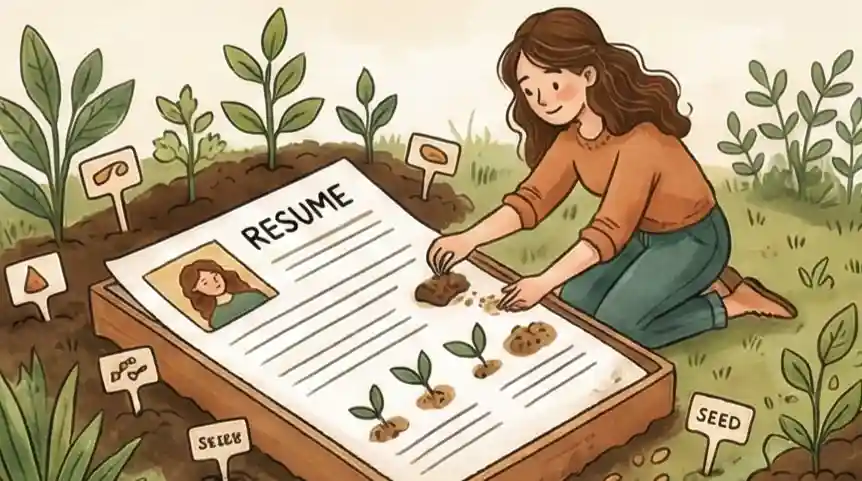
The Problem with Fancy Resumes
An infographic resume looks great on screen, but it often costs you the job before anyone reads your name. People suggest using colorful skill charts, complex graphics, and unique layouts to stand out. This seems smart, but it is a mistake. It focuses too much on looking nice instead of being useful, which turns your career history into a hard-to-solve picture that actually hides how good you are.
This way of making resumes causes big problems technically. Most computer programs that check resumes first are built to read simple text, not fancy pictures. When these programs see an infographic, they often cannot pull out your information, so you get rejected before a person even reads your name. Even if a recruiter sees it, the issue continues. Hiring managers are trained to quickly find specific facts; when those facts are hidden behind icons and complicated designs, they usually move to the next person instead of trying to find what they need.
To fix this, we must change our focus from graphic design to how the information is organized. We will carefully check the structure of your document to make sure it helps you, not hurts you. This means getting rid of extra decorations and only using design to clearly show what is most important. Arranging your information well creates a document that shows off your successes and is easy for both computers and people to read.
What is an Infographic Resume?
An infographic resume is a visual document that presents career history using charts, icons, progress bars, timelines, and graphic layouts instead of plain text. Designed to look distinctive, these resumes prioritize appearance over readability — which creates serious problems with the software and recruiters who screen applications.
Most job applications pass through applicant tracking systems (ATS) before a human ever looks at them. According to Onrec, 98% of large organizations use ATS software to pre-screen candidates. These systems extract text to match keywords; when that text is embedded in an image, a chart, or a complex multi-column layout, the system reads a blank page. The result: automatic rejection, before a single recruiter sees your name.
The six-second reality makes it worse. A widely-cited eye-tracking study found that recruiters spend an average of just 6–8 seconds scanning a resume on first review. An infographic resume that forces a recruiter to hunt for your job title or decode a skill bar doesn't impress them. It frustrates them. Research from StandoutCV found that 1 in 4 recruiters will outright reject a resume they consider badly designed, with poor readability as the top reason.
There is one narrow exception: creative roles where design skill is the product (graphic design, UX, brand identity). In those cases, a visual resume handed directly to a hiring manager can serve as a portfolio sample. For everything else — and for any application submitted online — a clean, structured, text-first resume is the safer and smarter choice. See also: What is a Video Resume and Should You Make One?, which covers the same trade-off for another non-traditional format.
Main Points to Remember
-
01
Clear Look Stop trying to make your resume look like art. Focus on "visual order," where the key information is the first thing someone sees when they glance at it for five seconds.
-
02
Show Results Don't use icons to show how skilled you are. Instead, use clear call-outs and bold text to show off the actual results and big successes you achieved in past jobs.
-
03
Simple Setup Avoid using complicated design tools that are hard to change later. Use a simple, flexible layout that lets you switch out key facts quickly while staying readable for software and people.
Common Resume Mistakes: What's Wrong and How to Fix It
Check #1: The Trap of Needing to Look Cool
You spend more time choosing colors and designing "skill bars" than writing about your work history. You think if the resume looks "awesome," it will make up for not having enough experience or help you stand out.
Visual tricks like progress bars or star ratings are useless facts that confuse people more than they help. Recruiters can’t tell what "80% Good at Marketing" really means, and these designs take up space where your actual achievements should be.
Focus on Your Story
Replace every chart and bar with a list of specific results you achieved, using numbers. Use design elements like bold titles and lines only to separate sections, guiding the reader’s eye toward your job titles and results, not your design skills.
Check #2: The Formatting Wall
You save your resume as a complex PDF with many columns or as an image file to make sure the "creative layout" looks exactly as you planned. You think the file is perfect.
Most computer screening tools often cannot read text inside images, icons, or complicated columns. When you send a highly "designed" file, the system sees a blank page or a mess of broken characters, leading to an instant rejection before a person sees it.
Make it Computer-Friendly
Remove text boxes, sidebars, and custom icons in favor of a simple flow from top to bottom. Use a standard PDF format where the text can be highlighted and copied, making sure that both the software and the recruiter can easily understand your information.
Check #3: The Scavenger Hunt Mistake
You place important details like your contact info, location, or current job title in "creative" spots—like the bottom or a side column—to make the page look more like a modern graphic.
Eye-tracking research shows recruiters spend an average of 6–8 seconds scanning a resume, following a predictable "F-shape" pattern from top-left. If they have to search for your basic details because you placed them in a stylish corner, they get confused and move to a candidate whose information is easier to find.
Make the Top and Left Easy to Read
Put your most important information—your name, the job you want, and your top three results—along the top and left side of the page. This uses design to work with how people naturally look, delivering your main value the moment the file opens.
The Step-by-Step Plan for Visual Clarity
Step 1: Get Your Facts Straight
Before you design anything, make sure the text itself is strong. Looks only help if the content is good.
- Pick Your Top 3: Choose the three most important things you achieved in your career.
- Use Numbers: Every point should have a number in it (like, "Sales went up 20%" or "Managed 10 people").
- Cut Useless Words: Get rid of vague phrases like "hard worker" or "good team member." If it doesn't show a real result, remove it.
Step 2: Plan Your Visuals Simply
Decide which parts of your story are better shown with a simple image instead of just words.
- Map Your Career Line: Instead of just dates, draw a basic line to show when you worked where.
- Choose Simple Icons: Pick 4 to 6 tech skills and give them a simple symbol or visual strength meter.
- The Key Number Box: Create a specific spot on the page just for one big "Hero Number"—the largest number you are proud of.
Step 3: Build It Minimally
Now, open a design tool (like Canva or a basic template) to put everything together.
- Two Colors Max: Choose one main color (like dark grey) and one highlight color (like blue or green). Use the highlight color only for titles and small graphics.
- Use White Space: Make sure at least 20% of the page is empty. This keeps the reader from getting tired of looking at too much text.
- Standard Fonts: Use one easy-to-read font for titles and another for the main text. Avoid fancy, hard-to-read script fonts.
Step 4: The Six-Second Test
Finish the document by making sure it works well and is easy to understand quickly.
- The Blink Test: Show your resume to someone for only six seconds. Ask them what your job title is and what your best achievement was. If they can't answer, make the layout simpler.
- Check All Links: Make sure all your links (like LinkedIn or your portfolio) actually work.
- Final PDF Save: Save the finished version as a PDF. Never send it as an image or a Word document, because that can ruin the formatting on the recruiter’s computer.
How Our Tool Makes Your Resume Stronger
For Stronger Points
Standard Resume BuilderWe help you build a story based on facts. Our system finds numbers and results from your past work to replace vague graphics.
For Computer Rules
Job Matching ToolWe help you adjust your experience to fit the job description while keeping your structure clean and easy for computers to read.
For Tracking
Application TrackerSee clearly how your job applications are moving along so you can improve how you present yourself to recruiters.
Common Questions
Are infographic resumes bad for ATS?
Yes, in most cases. ATS software extracts plain text to match keywords and candidate information. When your content is embedded inside images, charts, or complex multi-column layouts, the system either reads blank space or garbled characters — and your application gets rejected before a recruiter ever opens it.
98% of large organizations use ATS pre-screening (Onrec). For any role at a mid-size or large company, an infographic resume is a significant liability.
Will a simple resume still make me stand out?
Standing out is less about colors and icons and more about how fast a recruiter can find your achievements.
A clean, well-organized resume is more memorable than a complicated design that’s hard to scan. When you focus on clarity, you make the hiring manager’s job easier — which puts you ahead of candidates using confusing templates. Your accomplishments do the work, not the graphics.
Should I use an infographic resume for creative jobs?
In creative fields, your resume is still a working document. Your portfolio is where you show your design skills.
Even creative companies use ATS for online applications. The safer approach: submit a clean, text-based resume with a prominent link to your portfolio. That way a computer can read your application and a human can still see your work.
Do I need design software to make a good resume?
No. Standard word processing software is often the better choice because it produces text-based files that both ATS and recruiters can reliably read.
A high-impact resume comes from clear headings, good spacing, and bold text that surfaces your key achievements — not from design tools. If you use Canva or similar, export a text-layer PDF rather than an image-based one.
What should an infographic resume include if I use one?
If you choose an infographic resume for a specific situation (a creative role, a networking event, a direct handoff), keep the visuals minimal and focused. Use one or two colors, a clean timeline, and a single "hero number" that represents your biggest result.
Always also keep a plain text version ready for any online application. Think of the infographic version as a supplement, not a replacement. For more on alternative resume formats, see our guide on video resumes and when they make sense.
Focus on what counts.
A resume that stands out does so with clarity, not decoration. A highly-decorated document might look impressive on screen, but it often becomes a useless file that fails to tell a recruiter how valuable you actually are. Strip the extra visuals, focus on structure, and your career story gets heard instead of lost. Don't let your hard work be missed because of a design that doesn't work. Build a document that clearly leads to your next interview.
Look at your resume right now and find one graphic or chart that might confuse a reader. Start checking your document today by swapping those distractions for clear text that focuses on your achievements. You have the skills for the job, and now you know how to make sure everyone sees them.
Begin Your Check Today