What You Should Remember
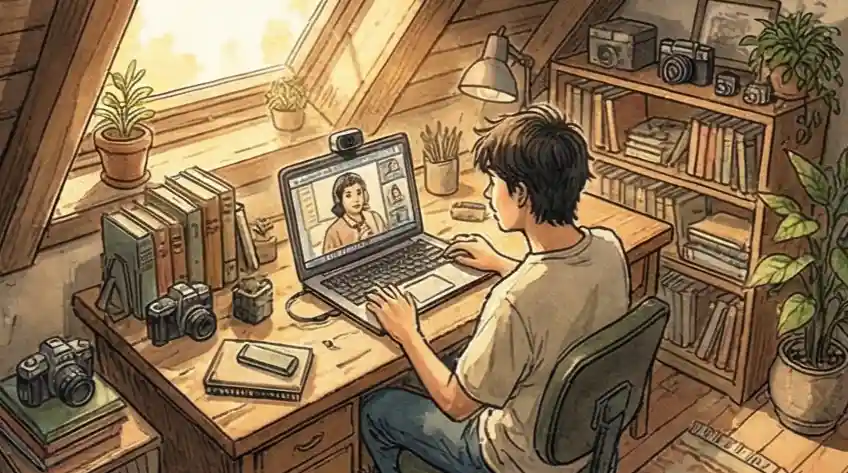
Put your camera at your eye level. Make sure your main light is shining on your face, not coming from behind you. Check your sound and internet before you start to avoid fuzzy audio or dark shadows on your face.
Treat the camera lens like a person you respect, not just a machine. Speaking to a blank screen makes you sound unnatural. Imagine a real person is there to keep your expressions real and your energy steady.
Use a simple structure for all your answers: What was the Problem, what Action did you take, and what was the Result? This keeps you on track and ensures you finish your main points before the time runs out.
Look straight into the camera lens, not at the small picture of yourself on the screen. Looking at yourself makes you seem like you are looking down. Looking at the camera makes it look like you are making direct eye contact with the reviewer.
One-Way Interviews: Changing How You Talk
Talking to a screen with no one watching is strange. In these video interviews, you miss the little signs people give you, like nodding or saying "uh-huh," that tell you you're doing well. Because you get no feedback, many people get stuck, overthinking every word and face movement. This makes answers sound stiff, overly practiced, and dull.
Most people focus on the small technical stuff: make sure your lighting is good and wear a nice shirt. But that doesn't fix the core problem: you're talking to a computer process. You need to stop acting like a nervous job candidate and start acting like someone creating a short movie clip about themselves.
You are not having a real conversation; you are making a quick, high-information highlight video for someone who will likely watch many others. (If you're preparing a formal video introduction for your application materials, a separate guide covers that format.) Instead of trying to sound natural, you need to focus on packing in as much important information as possible by clearly stating your biggest achievements first. According to HR technology research, video interviews reduce initial screening time by up to 60% compared to phone calls, which means recruiters are processing far more candidates per day and have less time per video. You need to earn their attention fast.
This guide will give you the technical rules and the mental approach to do well.
What Is a One-Way Video Interview?
A one-way video interview (also called an asynchronous or automated video interview) is a pre-recorded screening format where candidates record answers to set questions on their own time, with no live interviewer present. The employer reviews the recordings later, often using AI-assisted scoring or keyword analysis before any human watches the video.
Platforms like HireVue, Spark Hire, and VidCruiter power this format. Each question has a fixed time limit (usually 60-90 seconds per answer) and a set number of retake attempts. As of 2024, 69% of employers now use video interviews as part of their hiring process, according to video interviewing industry data — making this format one of the most common early-stage screening steps candidates will face.
Unlike a live interview, you get no real-time feedback. No nods, no follow-up questions, no body language to read. That changes everything about how you need to prepare.
The High-Impact Video Plan: The Mindset for Success
When you do a one-way video interview, you become a "content creator" making a highlight reel. Since you can't get feedback (the nods and smiles), people freeze up and sound like robots. To win, you need to stop trying to make friends with the camera and start giving them clear, useful information. When a recruiter or an automatic system watches your video, they are subconsciously checking for three main things to decide if you're worth interviewing live. A 2024 industry survey found that 94% of recruiters plan to keep using video interviews permanently, so this format is not going away.
What They're Really Checking
When a recruiter opens your video, they are often just scrolling through many options quickly. They are secretly asking: “Do I need to stop what I’m doing and pay attention to this, or can I listen while doing something else?” If you spend the first 30 seconds explaining the background of your story, you fail this check. Their brain labels your video as "not important." If you use the Rule of 30—saying your biggest achievement or "punchline" right away—you force the reviewer to pay attention within seconds.
What They're Really Checking
Our brains like things that are simple. In a live interview, the recruiter asks questions that help organize your thoughts. Here, you have no help. If you give them a huge block of disorganized words, the recruiter's brain gets tired trying to find the important facts, leading to a bad feeling about you. The reviewer is checking for how easy it is to find information. When you use verbal signposts (like saying, "I have three main reasons for this..."* or *"The result had two parts..."), you do the mental work for them. This makes it easy for them to quickly confirm you meet the job requirements.
What They're Really Checking
Because there is no live feedback, many people just start reading their resume in a dull voice. The recruiter sees this lack of energy as a lack of "ownership" or drive. They want to know not just what you did, but how much you cared about the results. The reviewer is checking for your advocacy. Even without a person there, if you speak with high energy and density, it shows the recruiter you are a self-starter who can perform without constant praise.
To do well in one-way interviews, switch from thinking about conversation to thinking about creating content. Make your biggest results clear right away (Stop Scrolling), structure your talk so it’s easy to follow (Easy Understanding), and speak with high energy to show you own your past work (Ownership). This information-packed way of speaking proves your value right away.
Checklist: What Makes an Expert Answer vs. a Weak One
The usual advice ("just smile," "be yourself") creates weak answers that don't give the viewer much useful information. Expert fixes focus on getting the most information across quickly to an audience that is distracted or being judged by a computer. Over 45% of Fortune 500 companies now use voice analytics to screen recorded interview responses for keyword frequency and answer clarity before a human reviewer watches the video.
You feel stiff and robotic because you aren't getting any reaction (nods or agreement) from the viewer.
"Just smile a lot, fix your lights, and try to act like you're talking to a friend normally."
Change your job to 'Content Creator': Stop trying to be friendly to a computer. Focus instead on Information Density. Use strong verbal cues and move through your points fast to keep a busy reviewer interested.
You waste the first 60 seconds of your answer explaining the background, causing the viewer to lose focus.
"Make sure you dress in a suit and stare right at the camera lens to look confident."
The First 30 Seconds Rule: Start with your best result or "big news" immediately. Reviewers often watch these videos quickly (even sped up), so you must grab their attention in the first few seconds before they move on.
Your answers sound like you are just reading your resume in order, not like you are trying to sell yourself.
"Memorize your script perfectly so you don't say 'um' or mess up during the recording."
Verbal Signposts: Don't tell a long story; give them an organized list. Use phrases like, "I have three main reasons I'm a good fit," followed by clear points. This makes it easy for the reviewer (or computer) to check the required skills off their list.
Common Questions About One-Way Video Interviews
Does AI analyze facial expressions in video interviews?
Most companies have turned off facial analysis due to legal and fairness concerns. The system is still "listening," though. It converts your audio to text and scans for keywords from the job description. If the role requires "Python" and "Team Leader" and you never say those words, the AI may score you lower before any human watches your video.
What Recruiters Say:
We usually read the text transcript first. If it looks good, we skip to your second or third answer and watch it at 1.5x speed. If you don't grab our attention in the first 20 seconds, we click "Next."
What happens if my internet cuts out during a one-way video interview?
Don't panic. Most platforms save your answers up to the last fully completed question. If it crashes mid-answer, take a screenshot of the error message immediately. Email it to the platform's support contact and to the recruiter or hiring manager you've been in contact with.
Pro-Tip:
Handling a tech issue calmly is itself a signal. A clear, polite email explaining the problem often gets you invited to a live interview because you showed you can manage a real-world problem without losing composure.
How do I avoid looking awkward in a one-way video interview?
The main cause of awkwardness is staring at your own face on the screen, which makes you appear to be looking down. Train yourself to look directly at the camera lens instead. That small shift creates the appearance of direct eye contact for the reviewer watching your recording.
Quick Fix:
Put a small sticky note with a smiley face right next to your camera lens. It reminds you where to look and naturally softens your expression. Standing up while recording also helps — your voice sounds stronger and you stop hunching.
Are one-way video interviews a red flag for company culture?
Not always. Usually it means they receive more applications than their recruiting team can screen one by one. The questions tell you more than the format does: generic questions signal a process-heavy culture, while specific, role-focused questions with team videos suggest they are just saving time before the live stage.
Worth Knowing:
If a company requires a 30-minute automated video before you speak to a single person, that tells you something about how they value candidates' time. Use it as data when deciding whether to invest in the process.
How long should answers be in a one-way video interview?
Aim for 60 to 90 seconds per answer unless the platform specifies a different limit. Most platforms allow 2-3 minutes maximum, but reviewers watch many videos back to back, so shorter and denser answers hold attention better. Front-load your strongest point in the first 20 seconds, then use the remaining time for your supporting context.
Pro-Tip:
Use the STAR structure (Situation, Task, Action, Result) but lead with the Result first. Say your outcome upfront, then walk back through how you got there. It keeps reviewers engaged from the very start.
Can you redo your answers in a one-way video interview?
It depends on the platform and the employer's settings. Most platforms (HireVue, Spark Hire, VidCruiter) allow 1 to 3 retakes per question by default, though some employers disable retakes entirely to see unscripted responses. Always check the platform instructions before you start so you know how many attempts you have.
Worth Knowing:
Having retakes available doesn't mean you should use all of them. A slightly imperfect but natural answer often reads better than a polished one that sounds rehearsed. Use a retake if you made a factual error or went completely off-topic, not just because you said "um" once.
How Cruit Helps You Master This Strategy
One-way videos can seem impersonal, but they are really just a test to see if you can organize your professional stories clearly without a live audience. Cruit helps you turn this required technical step into a chance to show off how prepared and energetic you are. Once you pass the automated screening, you'll move to a live interview where a different set of skills applies — our guide on succeeding in the full automated interview process covers both stages in detail.
To Practice Speaking
Interview PracticeRemoves the guessing game for these interviews by letting you practice digitally, focusing on the STAR story structure.
What You Get:
- AI coach creates practice questions for you.
- Tools to structure your answers using the STAR format.
- Make digital notes of your best talking points.
To Remember Wins
Your Experience LogBuilds a personal library of all your successes and challenges that you can search easily later.
What You Get:
- Record your work wins and challenges as they happen.
- AI figures out the skills you used in each situation.
- Preparation becomes a simple review of your best moments.
To Match Yourself
Job Description CheckerGives you the inside knowledge by comparing what the job wants with what you have already done.
What You Get:
- Checks job ads for the key words and skills needed.
- Shows you the skills you have that match right away.
- Points out the skill gaps you need to talk about.
Stop Sounding Like a Robot
- Don't just try to look polished; focus on delivering useful information fast.
- Give them a highlight reel that grabs the viewer in the first 30 seconds.
- Start your next recording by stating your best success story and keep them glued to the screen.