Main Points for Making Your Professional Brand Match
Make sure your main professional identity and what you offer are exactly the same on both your LinkedIn and resume. This builds trust quickly with recruiters.
Keep all job titles, company names, and work dates the same. This removes anything that looks suspicious and helps you pass the first check when people look into your background.
Use LinkedIn to show your general reputation in the industry. Use your resume to focus exactly on how you can fix the specific problems of one company.
Describe your past successes using words that fit the new industry you are moving into. This makes your career change look like a sensible next step, not just a random switch.
Strategy for Making Your Documents Match
Most people looking for jobs just copy and paste between their LinkedIn and resume, or they treat them like two totally different papers. If you think "matching" means copying every single point from one to the other, you are making a mistake that shows you are not very professional. Even worse are those small differences in dates or job titles that you ignore. To a top recruiter, a small time gap or a slightly fancy title isn't a mistake; it looks like you might be hiding something, making you seem like a risk.
When hiring for important roles, companies see a new employee as a big risk, not just someone to fill a seat. 87% of recruiters use LinkedIn to vet candidates (LinkedIn Talent Solutions, 2024), which means the comparison between your profile and resume begins before you even know you are being considered. If your LinkedIn calls you a "Big Picture Thinker" but your resume says you were a "Task Manager," you create a confusing feeling. If you can't keep your own professional story straight across two online places, no serious company will trust you with their money or future plans. Not matching your story doesn't just cost you one job. It hurts your standing and stops your career growth for a long time.
To get past today's strict checks, stop trying to make your documents identical. Start layering them instead. Today's companies use computer programs that look for things like "Title Padding" and dates that don't line up right at the end of the hiring process. This can lead to them taking back a job offer even when you thought everything was set. The best plan is to use LinkedIn like a big sign to get noticed, and your resume like a formal plan that proves your worth. When your facts are identical and your stories reinforce each other, you pass background checks and stand out as a candidate who manages their professional image with discipline.
What Does It Mean to Align Your Resume with LinkedIn?
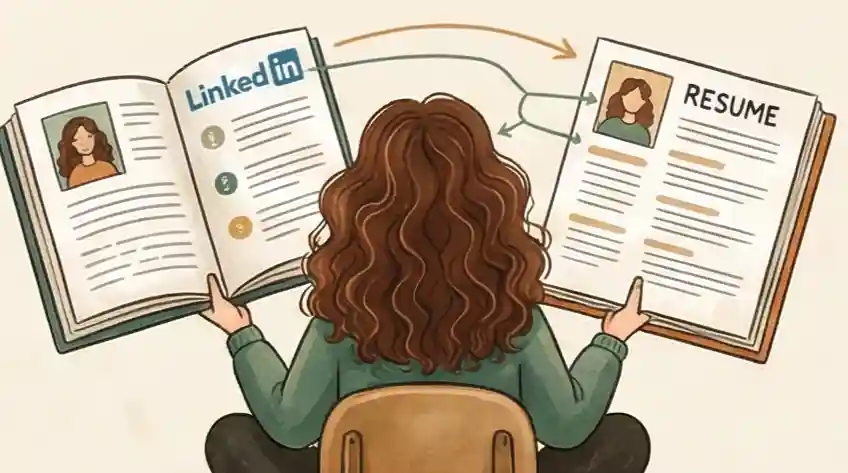
Aligning your resume with your LinkedIn profile means keeping the hard facts (job titles, dates, company names) identical across both documents while letting each tell a different version of your professional story. Your LinkedIn is your public brand signal; your resume is a targeted pitch for one specific role.
Recruiters cross-check these two documents at every stage of hiring. A mismatch in a start date or job title does not read as a typo. It reads as a red flag. If you need to strengthen your LinkedIn profile before syncing it with your resume, our guide on optimizing your LinkedIn profile for search covers exactly how recruiters find and evaluate your profile.
The Three Steps to Sync Your Digital Professional Self
First, be accurate before you try to be clever. Recruiters look for "Identity Gaps" where dates or titles don't line up. If your resume says you started in June and LinkedIn says May, you have already lost their trust. According to Verified Credentials, nearly 1 in 5 employment history verifications uncover a discrepancy, with job history records being the most common source. Having matching dates and official titles is your basic requirement for passing background checks.
Put your LinkedIn and Resume side-by-side on your screen. Highlight every date, job title, and company name on both. Make sure they match your official HR paperwork exactly. If your official title was "Analyst II" but you called yourself "Senior Lead" on LinkedIn, change it back to avoid being marked for "Title Padding."
"I have carefully made sure my LinkedIn and resume match exactly on all work dates and official titles for your background check."
We don't just glance at your LinkedIn; we compare it to the information given to background check companies. If dates don't match, the system flags you as a "Risk." Often, it is simpler for HR to take back an offer than to try and figure out why your dates are different.
Don't copy. Use LinkedIn as your "Sign" to show your personality and wide industry skills to grab attention. Use your Resume as a "Business Plan" specifically made to solve one company's issues. They should fit together, not say the same thing.
Rewrite your LinkedIn "About" section to focus on how you lead and what you care about (Social Proof). If your profile needs a full rebuild, our guide on creating a LinkedIn profile that recruiters can't ignore walks through each section. Then, change your Resume points to focus 100% on results you can measure and specific things you achieved (Value). Take out the descriptions of soft skills from the resume and put them on LinkedIn where they can be backed up by recommendations.
"My LinkedIn shows a wide look at my leadership ideas and impact in the industry, while my resume is a focused plan showing how I can solve the specific problems of this job."
When a resume is exactly the same as a LinkedIn profile, it means you didn't try hard enough. I look at LinkedIn to see if you fit the company's vibe and I look at the resume to see if you can do the actual work. If they are the same, I only get half the information I need to hire you.
This step makes sure your "Brand Truth" is strong. You want the hiring manager to feel like they met the same person twice, but learned something new each time. By keeping the basic "Hard Facts" the same while changing the "Value Story," you remove the "Risk Signal" that stops hires.
Try a "Quick Glance" test. Show both your profile and resume to a friend for 30 seconds. Ask them: "What is my main professional strength?" If they give you two different answers, your story is broken. Change your keywords until your main message is the same on both documents.
"You will see that my LinkedIn points out my wider industry work, which gives context to the specific performance numbers I've detailed in my resume."
When we get to the final job offer stage, we look for things that don't add up. If your LinkedIn makes you look like an "Expert" but your resume makes you look like a "Doer," we get worried. We value candidates who can handle their own professional story with the same attention to detail they would use to manage our money.
How Cruit Helps Your LinkedIn and Resume Strategy
Steps 1 & 2 Done LinkedIn Profile Creator
Upload your resume to instantly create a LinkedIn profile that matches your dates and titles, building the "Sign" version of your career.
Step 2 Focus General Resume Tool
An AI helper guides you to find your return on investment (ROI) and specific achievements, making your resume focus on numbers you can prove.
Step 3 Check Resume Customization Tool
Scans job descriptions for required words and industry terms, making sure your resume shows specific proof of what you achieved right away.
FAQ: Getting Rid of the Information Gap
Should my job title on LinkedIn match my resume exactly?
No. You are setting a trap for yourself. When a background check happens, the checking company sees "Associate" and "Manager." They don't care about your "duties"; they care that the data doesn't match. This causes a "Risk Alert" that can lead to losing the job offer right before the end.
The Fix: Use the Sign Method. On both your LinkedIn and your Resume, list your official title first to pass the checks. Right after, add what you are actually doing in parentheses or a sub-heading.
- Example: Associate III (Acting Regional Manager).
This keeps the "Hard Facts" exactly the same for the computer programs while letting you claim your real value to the people looking at it.
Can my LinkedIn and resume have different content?
Only if your dates and titles don't match. If the "Hard Facts" are the same, telling a layered story isn't being inconsistent—it's smart. If a recruiter prints your resume and it just looks like your LinkedIn, you wasted their time. You look like a beginner who doesn't know the difference between promoting a brand and presenting a proposal.
The Fix: Use LinkedIn to tell the story of your "Professional Personality"—the "Who." Use your resume to provide the "Proof"—the "What." Your LinkedIn should have recommendations, skills, and a general overview. Your resume should have the specific numbers and results tailored to the exact job you want. If the dates and titles match, having different descriptions shows you have high "Career Sense."
Do employment gaps need to match on both my resume and LinkedIn?
Yes. In the business world, a difference isn't a typo; it's a lie. You are showing that you lack "Brand Truth." When a hiring manager sees two different sets of dates, they start to wonder what else you might be hiding.
The Fix: Stop hiding the gap. Make the dates on your LinkedIn exactly match your resume. Use the "Sign" (LinkedIn) to fill the gap with "Proof of Activity." List a certificate you earned, a freelance job you took, or a specific skill you learned during that time. Turn the gap into a time of "Planned Improvement" instead of a time with missing history. Matching facts builds trust; differences break deals.
How often should I update my LinkedIn to match my resume?
Update LinkedIn within 24 hours of making any change to your resume. Treat your resume as the master document. Whenever you add a new role, adjust a date, or change a title on your resume, open LinkedIn and make the exact same change before closing your laptop.
The longer the gap between updates, the more likely a recruiter will catch a version mismatch. Set a recurring monthly reminder to compare both documents side by side, even when you are not actively job searching.
What happens if a recruiter finds a discrepancy between my resume and LinkedIn?
Most recruiters escalate the mismatch to HR rather than ask you to explain it. At the offer stage, background check firms compare your employment history against both documents automatically. According to Verified Credentials, nearly 1 in 5 employment verifications uncover a discrepancy, with job history being the most common source.
The outcome: A risk alert that pauses or cancels the offer, not a conversation that gives you a chance to clarify. Fix the mismatch before applying.
Control Your Digital Image Like a Valuable Asset
As a top expert, you are a partner who solves hard problems, not just a name on a list.
- Do not fall back into the BEGINNER MISTAKE of lazy copying or hiding differences; those mistakes signal to companies that you might not be mature enough to protect their image.
- Master the EXPERT MOVE by keeping your facts the same while letting your LinkedIn and resume tell a full, layered story.
- Top companies want to hire professionals who respect their own image enough to get all the small details correct.
Check your online image today so your authority is never questioned again.
Check Your Image Now