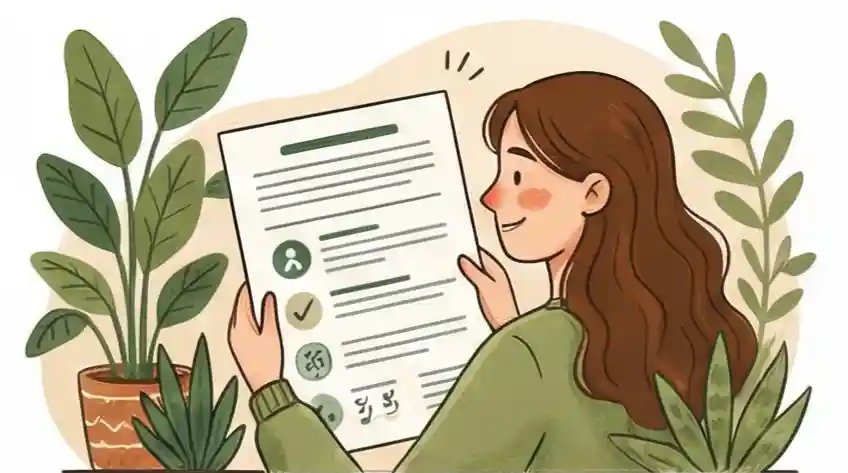
Summary of Approach
-
01
Make It Easy for Them to Judge You Think of your resume as a product made for someone else’s convenience, not just a history of your jobs. Your main goal is to be the easiest candidate to understand. When you make it mentally effortless to read about your past, the recruiter will automatically think of that feeling of "ease" when they think about your skills.
-
02
Show Your Biggest Wins Quickly The candidate who shows the most value with the least effort wins. Clear visual structure gets you ahead, making your major successes impossible to miss. Success is when a stranger can quickly see what you achieved without having to search for it.
-
03
Use Formats That Always Work True professionalism means your work functions well in all situations. Using common, standard formats that look good on any screen or device shows that you are dependable and think ahead. You protect your job chances by removing any risk of technical problems, so your message stays clear whether seen on a computer or a phone.
A Quick Look at Resume Font Rules
Most career advice tells you to pick a resume font based on how it "looks" or the "feeling" it gives. People say use Arial because it's "clean" or avoid Comic Sans because it looks "childish." This treats your resume like a piece of art, assuming that if it looks nice, you’re done. When it comes to getting hired, focusing only on style can hurt you. Your resume is a sales tool meant to make a recruiter look closer at your application.
The real measure of a good font is Cognitive Load, which means how easy it is for the brain to process the information. Human nature makes us feel that if something is easy to read, the information itself must be high quality. If a font makes reading slightly difficult, it creates mental effort. The recruiter’s brain has to work harder to figure out your past jobs, leading to an unfair feeling that your experience is less good simply because reading it was tiring. According to a 2018 eye-tracking study by The Ladders, recruiters spend an average of 7.4 seconds on the initial review of a resume — meaning even a small increase in reading difficulty can cost you that first look.
This guide changes the game from hoping a recruiter likes your "style" to using a clear plan to get interviews. The less mental energy it takes to find your value, the louder your skills speak relative to your formatting. The list below shows which fonts help people scan quickly and which ones cause technical issues for your job marketing.
What Is Cognitive Load, and Why Does It Matter for Your Resume?
Cognitive Load is the total mental effort your brain uses to process information. On a resume, it determines how hard a recruiter has to work to read your words. Lower cognitive load means faster, easier reading — and a more positive impression of your skills before a single bullet point registers.
Font choice is one of the biggest drivers of cognitive load in resumes. A decorative or outdated font forces the reader's brain to spend processing power decoding letter shapes instead of absorbing your career story. A clean, familiar font eliminates that friction entirely. The recruiter's limited attention goes to your accomplishments, not to figuring out what the letters say.
"I'm a big fan of the classics for resumes — Calibri, Helvetica, and Cambria. They are the cleanest and exude professionalism."
For job seekers, this means the font selection is not a style decision. It's a strategic one. The fonts that score best on cognitive load — clear letterforms, consistent spacing, familiar shapes — are not the most original. They're the most effective. See our guide on accessibility in resume design for how readability connects to every element of your document, not just font choice.
Checking Your Font Issues
Use this chart to see the common problems your resume font might be causing. Find the sign you are seeing, figure out what is causing it, and then follow the suggested action to make your document easier to read and more effective.
The reader immediately feels tired or has trouble focusing their eyes.
Too much effort required; the brain sees reading the letters as a difficult task.
The Font Makes Things Hard
Remove the Distraction: Change decorative or unusual fonts to simple, easy-to-read styles.
The document looks too packed, old-fashioned, or fuzzy on modern screens.
Doesn't look good digitally; not enough space between letters makes words run together when scrolling fast.
The Outdated Font
Improve Quick Reading: Switch to fonts made for screens that allow fast scrolling.
Key items (like job titles or dates) are noticed right away in a quick look.
Reading is so easy that the brain skips over the effort and focuses only on the facts.
The Perfect Font (Frictionless)
Get More Interviews: Use different font weights (bold vs. normal) to point the reader directly to your best achievements.
Seven Ways to Make Your Resume Work Better
As someone who coaches senior leaders, I see your resume as a crucial digital tool. To make sure your experience gets you an interview, use these seven steps to improve how your document works.
Choose clear, modern fonts like Helvetica or Calibri to make the first six-second look very easy on the eyes. When the brain doesn't struggle to read the letters, it naturally connects that feeling of "ease" to your skills, making you seem like a better fit for the job.
Use different font weights (like bold) to show the difference between your important details and the rest of the text. Making job titles bold and dates slightly lighter guides the reader to your most valuable information first, so they don't miss your big successes.
Increase the space between lines of text to make it less tiring to read your resume. If your text is too close together, the recruiter has to work harder to track from one line to the next, which can often lead to them giving up on your application too soon.
Use fonts that are available everywhere to show that you are technically reliable and professional. If you use a rare font that doesn't show up correctly on the recruiter's computer, the broken layout makes you look like you don't pay attention to detail or technical needs.
Limit your resume to two font types to keep the mental effort low for the hiring manager. Using too many styles forces the brain to constantly switch how it reads, which causes small problems that can make your work history seem disorganized.
Use pure black text on a bright white background so that the reader’s time isn't wasted by having to search for information. High contrast means the document is easy to read even on older screens, preventing you from losing an interview chance because an important point was too faded to notice.
Pick a font size that is still clear on a cell phone to avoid losing opportunities when a recruiter checks your resume while they are busy. Many initial reviews happen on the go; if the recruiter has to zoom in to read, they will probably just move on to the next person who is easier to read.
The 6 Best Fonts for Your Resume
Every font below is available on most computers, reads cleanly on screens, and passes through ATS systems without scrambling your text. Use one as your primary body font, and you eliminate font-related rejection before it starts.
Microsoft's default font since 2007. The rounded letterforms keep reading smooth across all screen sizes. It's the most recognized professional font in HR software, which means ATS systems parse it cleanly every time.
Best for: Corporate, finance, tech, operations roles
The gold standard of modern typography for over 60 years. Its even spacing and clean strokes make it the easiest sans-serif to scan quickly. Mac users often default to this because it renders better on Apple displays than Calibri.
Best for: Marketing, consulting, design-adjacent, senior roles
A humanist sans-serif that balances warmth with precision. Its slightly wider letterforms reduce reading fatigue on long resumes. Lato is a free Google Font, meaning it loads reliably in online resume builders and PDF viewers.
Best for: Nonprofit, education, healthcare, early-career roles
Designed specifically for screens. Wider letters and a large x-height (the height of lowercase letters) keep it legible even at 10pt. If a recruiter reviews your resume on a phone, Verdana holds up better than almost any other option.
Best for: Any role; especially strong for technical or detail-heavy resumes
The exception to the "avoid serifs" rule. Unlike Times New Roman, Georgia was built from the start for screen reading. Its wider letterforms prevent the blurriness that makes other serifs hard to read digitally. Works well where authority and tradition matter.
Best for: Law, academia, government, executive leadership
Microsoft's screen-optimized serif, built as the modern replacement for Times New Roman. It has the same sense of professional authority but renders more cleanly on monitors. A safe choice when you need a traditional look without the screen-reading problems of older serifs.
Best for: Management, HR, finance, industries with formal document culture
- Name (top of resume): 18–20pt
- Section headings: 14–16pt
- Job titles: 12–13pt
- Body text and bullet points: 10–12pt (11pt is the sweet spot)
- Dates and secondary details: 9–10pt
Never go below 10pt anywhere. Text that forces squinting on a phone costs you the recruiter's attention.
5 Fonts That Hurt Your Application
These fonts create two distinct problems: some confuse ATS parsing software before a human ever reads your resume, and some carry visual associations that signal poor judgment the moment a recruiter sees them. Both problems can end your application silently.
Built for printed newspapers, not computer screens. The thin strokes between thick strokes (called serifs) blur on low-resolution monitors and phone displays. Beyond legibility, it signals "I haven't updated my resume since 2005." Both the visual quality and the implied lack of awareness work against you.
Its casual, handwriting-inspired letterforms are fine for children's birthday invitations. On a resume for any professional role, they create an immediate credibility gap. There is no industry where Comic Sans improves your application.
A novelty font designed to look like ancient scrolls. Some ATS systems fail to parse it cleanly because the irregular stroke widths confuse character recognition. No recruiter in any field will see Papyrus on a resume and feel confident about the candidate's judgment.
A monospaced typewriter font where every character takes up the same width. That equal spacing makes text harder to scan because natural reading depends on variable letter widths to distinguish words quickly. It also uses significantly more page space than proportional fonts, making your resume look cluttered.
Heavy, condensed, and designed for posters and headlines. At body text size (10–12pt), the letters pack too tightly to scan fast. Recruiters won't consciously think "this font is wrong" — they'll just feel friction and move on faster to the next application.
If you're wondering how your current resume design holds up to scrutiny beyond fonts, the guide on A/B testing your resume design explains how to measure whether your layout changes are actually increasing callbacks.
Cruit Tools for Better Digital Appearance
Mental Effort Simple Resume Tool
Uses a smart formatting system to instantly set margins, spaces, and font sizes correctly, giving you a professional look with one click.
Standard & High Contrast Resume Customization Tool
Provides templates that are easy for people to read and are proven to work well with job screening software.
Easy Processing Job Tracking List
Shows you how well your applications are doing so you can tell if your resume's design or phone viewing needs improvement to get more interviews.
Common Questions
Should I use a traditional font (like Times New Roman) for important roles to look more serious?
Traditional serif fonts were made for printed paper, not computer screens. Today, most resumes are read on monitors or phones where the small details in serif fonts can actually make the text look messy. For important roles, looking professional means making it fast for a recruiter to understand your impact. Using a modern, simple font (like Helvetica or Calibri) reduces the brain's work to read your history, making your experience seem more up-to-date and accessible.
If I'm applying for a creative job, won't a basic font make me seem unoriginal?
It’s easy to think your resume should show off your design skills, but your resume is a fact sheet; your portfolio is where you show your creativity. In creative jobs, recruiters look at applications very quickly. If you choose a unique font that is hard to read, you put a barrier between the recruiter and your skills. Use a clear, professional font to make sure your achievements are easy to read, and save the unique fonts for your actual portfolio website or a small title.
How does my font choice affect the computer software (ATS) that reads my resume first?
The computer systems that screen resumes (ATS) remove all special formatting to just find keywords. If you use a rare or overly designed font, the software might mess up the characters, turning your work history into nonsense. Sticking to standard, common fonts ensures the technology part of hiring goes smoothly. That safe choice guarantees that when a human finally reads your resume, the layout is clear and the information is ready without any digital problems.
What is the best font size for a resume?
Use 11pt for body text and bullet points — it's readable on screens and in print without wasting space. Section headings work best at 14–16pt to create a clear visual hierarchy. Your name at the top should be 18–20pt so recruiters can find it instantly. Never go below 10pt anywhere on the document. Text that forces zooming or squinting on a phone or monitor costs you the recruiter's attention in those first few seconds.
Which resume fonts are safest for ATS systems?
Calibri, Arial, Helvetica, Verdana, Georgia, and Cambria are the most reliably ATS-friendly fonts. They have been part of standard operating systems for decades, meaning every ATS has reliable character maps for them. Fonts that are rare, downloaded separately, or require special rendering — like decorative display fonts or script typefaces — carry the highest risk of garbling your text inside a resume scanner.
Focus on what matters.
Picking the right font isn't about looking professional in the old way; it's about truly building your case. When you stop seeing your resume as a style choice and start seeing it as a sales tool, you understand that clarity is more important than looking fancy. By choosing a font that makes reading effortless, you make sure the recruiter only focuses on your achievements. Your resume shouldn't just look good; it should be so easy to read that your value can't be ignored.
Check Out Cruit