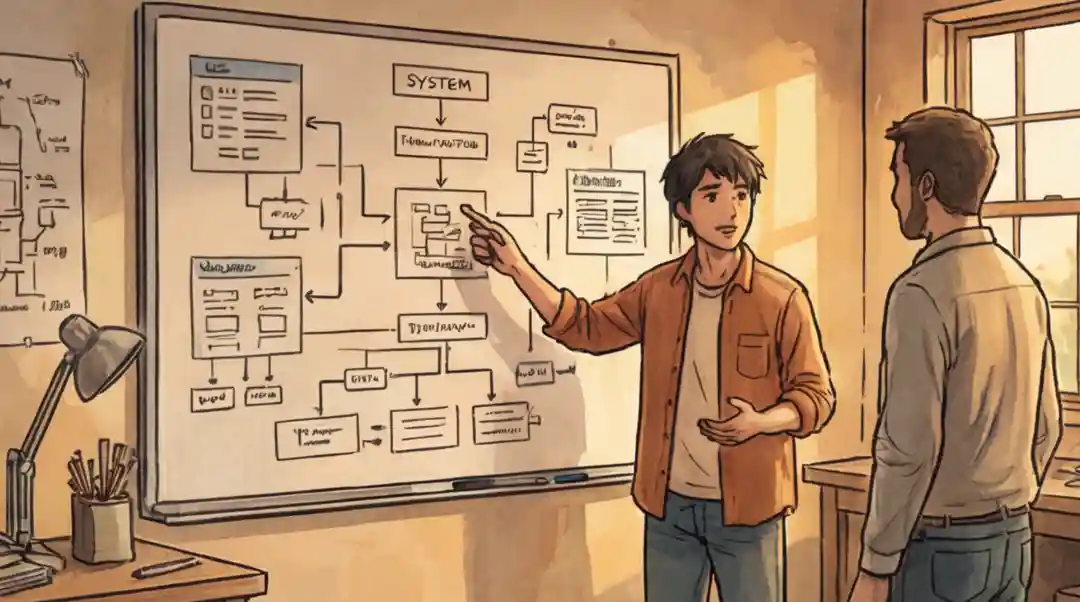
Quick Summary of Whiteboarding Strategy
Move from just reacting and coding to planning ahead by setting clear boundaries for the system's Input, Output, and Edge areas. This helps find system limits before writing any actual logic.
Stop having unclear thinking (Collaborative Technical Opacity) by moving your ideas onto Visual Trace Tables. This turns the whiteboard into an external brain that everyone can look at and check right away.
Focus on the main steps and diagrams of the plan instead of getting stuck on exact coding words. This keeps the feedback loop strong and makes sure the solution is easy to fix, even when it gets complicated.
Change focus from building small, separate pieces of code to designing reliable parts of the system. Do this by talking about the performance costs (Big-O) and explaining the necessary trade-offs for making the system grow bigger and easier to maintain later.
What Is a Whiteboarding Interview?
A whiteboarding interview is a live technical assessment where a candidate solves coding problems, designs systems, or outlines algorithms on a physical or digital whiteboard while explaining their reasoning out loud. The interviewer evaluates not just the final answer, but how the candidate breaks down the problem, communicates trade-offs, and responds to feedback in real time.
According to the Tech Interview Handbook, coding interviews are scored across four dimensions: communication, problem solving, technical competency, and testing. Communication is listed first for a reason. A 2024 hiring trends report from Second Talent found that 88% of employers look for problem-solving evidence during interviews, while over 70% weigh communication skills as a deciding factor. The whiteboard is the tool that makes both visible at once.
The Whiteboard Check
Most people treat the whiteboarding interview like a memory test. They are wrong. Doing well in a tough technical interview isn't about trying harder; it's about mastering Making Your Thinking Visible. This means changing your internal ideas into a shared, visible plan that can be checked. It is the only way to show you can map out hard, abstract systems while talking to others in real time.
Behind closed doors, hiring managers aren't checking if you know every small detail of a programming language; they are trying to avoid the risk of Unclear Team Work. A 2025 hiring report from Second Talent found that 88% of employers look for problem-solving evidence and over 70% weigh communication as a deciding factor. They worry about hiring someone who produces a lot of work but creates complicated, separate systems that make the whole project fragile. If the team cannot check your logic or use it easily, your value when you start is close to zero.
The main reason experienced staff get stuck is Focusing Too Much on Code Details. You fail when you use the whiteboard like a computer program instead of a tool for talking, focusing too much on the exact coding rules rather than the system's main idea. To get the job, you need a system that prevents mistakes and shifts focus from writing code too early to planning the design first. If you want a broader view of how to prepare for technical interviews overall, start there. This guide gives you the specific plan to look professional on the whiteboard while proving you are a designer, not just someone who types.
"Listen, after watching thousands of these, I stop looking at the markers and start looking at how the thought process is built. Most people think I'm judging if they remember a tool; really, I'm judging if they will be a good teammate."
Here is what we are secretly grading you on:
This checks if the candidate refuses to start coding before defining the "edges of the task," proving they won't waste team time building the wrong solution for the wrong problem.
This tracks how quickly a person changes their hidden thoughts into a shared visual plan, showing they help the team by making their work clear and open to support, instead of being a high-maintenance person working alone.
This judges if the candidate can easily drop their initial ideas when a new problem comes up, showing they are mature enough to put the system's health before their own pride in their first design.
This finds candidates who see the whiteboard as a high-level plan for talking rather than a place to write low-level code, showing they focus on how things connect across the system and long-term upkeep over exact coding rules.
The 3 Steps to a Mistake-Proof Plan
Defining Limits Based on Known Facts
Focusing Too Much on Code Details. People often use the whiteboard like a command line, writing for loops or function names right away before figuring out the system's limits. This shows the interviewer you are a "coder" (someone who follows orders) instead of an "engineer" (someone who defines the problem).
The Fix: The IOE (Input-Output-Edge) Border.
Before writing any logic, you must define the problem area using three main points:
-
Define Data Shapes: Write down what the input and expected output look like (e.g.,
Input: List of Numbers; Output: Yes/No). - Set Limits: Ask three questions about size, memory use, and speed (e.g., "Does this need to be fast?" or "Are there too many items to fit in memory?").
- Plan for Worst Cases: List the "Disaster Scenarios" (like empty inputs, max numbers) in a list on the top right of the board.
This removes risk by making sure you aren't creating a "perfect" solution for the wrong issue.
Making Logic Visible for Everyone
Focusing Too Much on Code Details. Many try to write exact code while talking, leading to "Logic Jumps," where they forget what they were doing because they are fixing a small typo. This creates "Unclear Team Work," making it impossible for the interviewer to follow the thinking process.
The Fix: The Visual Trace Table (VTT).
Use the whiteboard like a shared computer memory. Instead of using fancy coding words, build the solution in three clear parts:
- High-Level Plan: Use boxes and arrows to show the main flow of data (like "Check -> Change -> Group").
-
The State Tracker: Draw a small table on the side. As you talk through the logic, update the values of your variables by hand (like
Loop=1, CurrentValue=5, Max=10). - Simple Code Steps: Write logic that is neat but not strict code. Focus on the main actions (the "verbs") of the plan.
This removes the fear of the "Black Box" by making your logic clear and easy to fix for the team.
Checking System Integration and Trade-offs
The "It's Finished" Mistake. Most people stop once the code works for the main test case. By not talking about how the code fits into the larger system, they act like a "siloed developer" who writes code that breaks easily.
The Fix: The Performance and Future Plan Check.
Turn your code from a "quick script" into a "system part" by checking it live using these two methods:
- Speed Check: State the Time and Space costs ($O(n)$, $O(\log n)$) and point out which line of code sets that cost.
- How to Grow: Talk through how you would change the board for bigger needs. Point out where you would add connections to other parts, where you would use standards to allow for different data sources, and how the logic would handle growing bigger.
- The "Future Comment": Explain one choice you made (e.g., "I chose speed over saving memory here, but if memory was tight, I would do an in-place update").
This removes the risk of system failure by showing you understand how your code affects the whole design.
How Whiteboarding Changes: From Code to Business Results
As someone who trains people for these tests, I see the whiteboarding interview as a test of how you solve problems when things are stressful, not just a test of coding rules. As you get more senior, the "answer" on the board becomes less about the code and more about what the code actually achieves for the company. Here is how what you do in a whiteboarding session should change as you move up in your career.
Basic Skills and Being Able to Figure Things Out
At the junior level, the interviewer wants to see clear proof that you can turn an idea into code on your own. They don't expect you to know everything, but they need to see how you handle things you don't know.
"Focus on talking out loud. Show that you can break a big request into logical steps (simple code steps) before writing any exact code. Show that you don't need a senior person to guide you step-by-step through the thinking."
Efficiency and How Your Work Helps the Project
For mid-level staff, making the code "work" is the bare minimum. The interview starts focusing on the quality of the solution and how it connects with other parts of the project.
"You must start the talk about Big O performance notation. Don't wait to be asked; explain why you chose a certain data structure over another based on time and space needs."
Strategy, Risks, and Return on Investment (ROI)
At the executive level, the whiteboard isn't about the code. It's about the Whole System. The code is just one detail in a bigger business plan. This is where whiteboarding overlaps with system design interviews, where the focus shifts from algorithms to architecture.
"Before you touch the marker, ask 'Why are we doing this?' Make sure the technical plan matches the business goal. Talk about your choices in terms of cost, explaining the 'Total Cost of Keeping It Running' (TCO)."
Coding Ideas: Writing Code vs. Designing the System
| Step | The Common Mistake (Focusing on Exact Code) | The Expert Approach (Leading the Engineering) |
|---|---|---|
|
Step 1
Starting the Problem
|
The Command Line Habit
Immediately writing function names and loops. This assumes the problem is simple and the setup won't change. It shows a mindset of just following orders.
|
The IOE Border
Defining the problem space by checking Data Shapes, Setting Limits (size/speed), and Planning for Worst Cases. This shows you're a planner who defines the system first.
|
|
Step 2
Writing Logic
|
Logic Jumps
Trying to write perfect code while talking. This often leads to losing track of variable values because you're focused on small code errors, making it hard for the interviewer to follow.
|
The Visual Trace Table
Making the thought process visible using simple flow charts and a table to track variable changes by hand. Uses plain language instead of strict code to keep things clear for the team.
|
|
Step 3
Finishing Up
|
The "It's Finished" Mistake
Stopping once the code passes the main test. Treats the solution as a separate script, ignoring how it fits with other parts, how to maintain it, and its impact on the overall design.
|
The System Check
Turning the script into a "system part" by checking its speed performance, figuring out how it can grow, and stating the trade-offs made (like choosing speed over memory) to reduce future problems.
|
How Your Level Changes What's Important
- The Junior (Command Line Habit) Focuses only on solving the immediate coding puzzle without setting clear system limits.
- The Professional (Logic Jumps) Keeps track of ideas in their head but fails to make those ideas visible so the team can check them.
- The Master (System Check) Treats code as one piece in a bigger, planned, and checked system, proving they care about long-term stability.
Make Your Whiteboarding Better with Cruit
Step 1: Making Edge-Case Checks Automatic
Journalling ToolCreate a reusable list of "Disaster Scenarios" (like running out of memory) from your past challenges to fill in board limits right away.
Step 2: Improving Team Logic
Interview Prep ToolPractice using the "Visual Trace Table" method to practice how you explain your thinking when giving technical answers.
Step 3: Making System Checks Stronger
Career Guidance ToolPractice defending your choices on speed and growth with the mentor to change your role from just a coder to a key strategic partner.
FAQ: Handling the Interview Beyond Just Code
How do I stop feeling nervous during a whiteboarding interview?
Switch from performing to investigating. The stress comes from thinking the whiteboard is a test of perfection, when it's really a test of how you think through problems.
Say out loud: "I am finding the limits of this data setup so we don't build on a bad starting point." This shifts the focus from your own worth to the problem itself, and the pressure drops. You aren't being judged on being perfect; you are being checked on your ability to reason openly.
How long should I prepare for a whiteboard interview?
High-level whiteboarding is about seeing patterns, not memorizing code. Spend 20 minutes daily doing "Design Sprints." Take a hard problem and, without writing any code, draw the data paths and state changes using only boxes and arrows.
You are training the skill of "Making Your Thinking Visible", a skill that improves much faster than memorizing a library's specific tools. Two to four weeks of daily practice is usually enough to build confidence.
What if the interviewer stays silent during my whiteboard session?
Silence is often a test of your ability to lead without direction. Don't wait for them to guide you. Use the whiteboard to take charge.
Say: "Looking at this diagram, I see a possible slow spot in the sorting step. Does your system prefer saving memory or running faster?" Specific, design-level questions tied to what you drew turn the interviewer into a partner.
Should I write real code or pseudocode on the whiteboard?
Pseudocode first, real code second. Start with plain-language steps that describe what each block of logic does (like "check if input is empty, then sort by frequency"). This lets the interviewer follow your reasoning without getting distracted by syntax.
Once the interviewer confirms the approach, you can translate key sections into actual code. Most interviewers care more about correct logic flow than whether you remembered a semicolon.
What do interviewers actually look for in a whiteboard interview?
According to the Tech Interview Handbook, interviewers score candidates on four dimensions: communication, problem solving, technical competency, and testing. Communication comes first because it reveals how you'd work on a team.
A candidate who solves 80% of the problem while explaining every decision will almost always outscore someone who silently writes a perfect answer. The whiteboard exists to make your thinking visible.
How do I manage whiteboard space during a coding interview?
Divide the board into zones before you start writing. Reserve the top-right corner for edge cases and constraints. Use the left side for your high-level plan (boxes and arrows). Keep the center for your main code or pseudocode.
Write with space between lines so you can insert corrections without erasing everything. Smaller, neat handwriting saves more space than large, rushed letters.
From Hidden Code to Shared Plan
The main reason people fail is Focusing Too Much on Code Details: believing the interview tests if you can act like a computer program.
Once you master Making Your Thinking Visible, your smarts are no longer hidden. They become a clear, checkable system. You stop trying to guess the right answer and start mapping out the system, making sure everyone in the room understands the why behind the how.