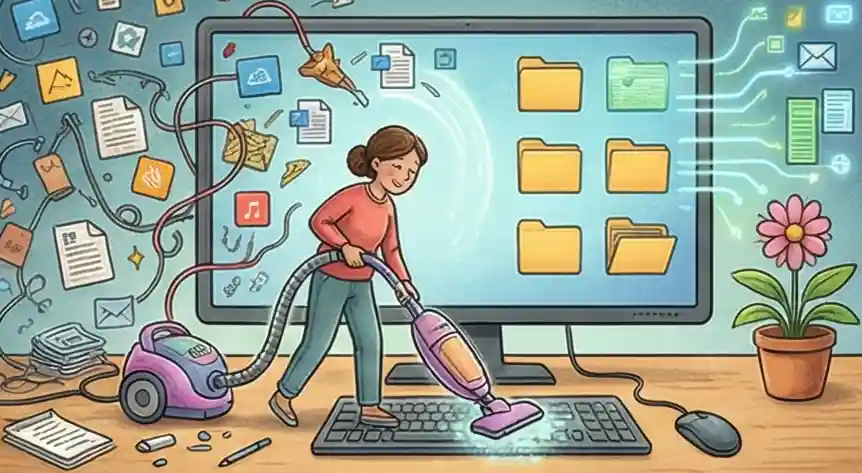
What You Should Remember: Making Your Digital Space Better
-
01
The Desktop Cleanup Rule Move any file sitting on your main screen for over one day into one main folder called "Deep Storage." This keeps your main screen clear for only the work you are focused on right now.
-
02
Limit Your Quick Tools Keep only the three main programs you use for your job pinned to your taskbar. Hide apps that distract you, like email or chat tools, by making them take three clicks to open. This makes it harder to switch away from your main work.
-
03
Hiding Old Tabs Use a browser add-on to automatically fade or hide tabs you aren't currently using. This makes your past browsing visually disappear so your eyes are naturally drawn back to the one tab you need right now.
-
04
Only Hear From People Change your settings so that you only get alerts from actual human messages. Silence all alerts that are just computer-generated messages. This way, your focus is only interrupted for important, personal conversations.
Digital Mess and Losing Focus
That little red circle on your chat app is still bothering you. You finally opened a blank page to start that big plan, but your mind is stuck looking at your computer's main screen, trying to remember if you saved the document correctly. This is the mental slowdown caused by digital clutter, and it steals your focus before you even start working.
Many people try to fix this by setting aside a big block of time, like Sunday afternoon, to clean up all their old files, acting like they are tidying a dusty attic. But by the middle of the week, everything is messy again because they only fixed the result, not the cause of the mess. The same pattern plays out with screen time: our guide on managing screen time and digital fatigue shows how physical habits and digital habits reinforce each other.
You don't need a one-time cleanup; you need a way to stop the mess from even reaching your mind. Being focused happens when your computer setup automatically manages your digital world, taking the hard work away from your willpower and putting it into your routine.
What Is a Digital Declutter?
A digital declutter is the process of removing unnecessary files, apps, notifications, and browser tabs from your devices so your working environment stops competing for your attention. Done well, it takes less than 20 minutes a day and eliminates the background mental noise that slows down your best thinking.
The goal isn't a perfectly clean desktop. The goal is a workspace where every item you see has a reason to be there, so your brain stops spending energy on what to ignore and can put that energy into actual work.
Expert View: Quick Fixes vs. The Big Cleanup
Most people treat cleaning up their digital life like starting a strict diet. You spend all Sunday cleaning your screen, deleting old emails, and renaming files, only to find your work area looks like a mess again by Wednesday. This is the Big Sunday Cleanup, and it's a trap.
This is spending hours fixing a mess you already created by trying to clean up past mistakes. This approach looks backward and doesn't last, meaning you waste time doing the same cleanup over and over.
This means putting rules in place that stop the mess from entering your digital space in the first place. Examples include: a rule for naming files immediately, or turning off most alerts. This uses your energy to look forward, not backward.
If you feel like you need a "Big Sunday Cleanup" every week just to survive Monday, you don't have an organization problem—you have a system problem.
If the tools you use or the culture you work in forces you into a constant state of mental confusion, you can't just "get organized" your way out of it. Stop trying to clean up the mess and start looking at changing your situation if these simple fixes don't help you feel less overwhelmed.
Organizing Your Job Search with Cruit
For Keeping Track
Note Taking ToolTurn scattered thoughts into a clear record of your career progress. It gives you one quiet place to write down successes and lessons, so you don't lose important details.
For Tracking Applications
Job Board TrackerSwap messy spreadsheets for a clear, visual way to track your job applications. It puts every application on one clear chart and updates your status automatically.
For Reaching Out
Contact ManagerKeep all your professional contacts in one place. Track every chat and get help from AI to write messages that feel personal.
Common Questions Answered
What is digital decluttering?
Digital decluttering is the process of removing unnecessary files, apps, notifications, and browser tabs from your devices so your workspace stops competing for your attention. The goal isn't a perfectly empty desktop — it's a setup where everything visible has a reason to be there, so your brain can focus on what actually matters.
How long does it take to do a digital declutter?
A first-time digital declutter takes about 2–3 hours. After that, spending 10–15 minutes at the end of each day to file documents, close tabs, and silence non-essential notifications keeps the mess from building back up. The key is building a system, not scheduling a one-time cleanup.
Does a messy desktop actually hurt your focus?
Yes. Research from the University of California, Irvine, shows people now spend an average of just 47 seconds on any screen before switching attention. A cluttered desktop forces your brain to constantly filter out irrelevant items, burning cognitive energy you need for real work. Less visual noise means faster, sharper thinking.
Isn't organizing my files just another way to avoid real work?
There's a difference between decorating folders you never use and building a system that removes friction. A real setup takes a short time upfront and eliminates dozens of small, distracting decisions every day, giving your brain room for the work that matters.
Can't I just use the Search tool to find what I need?
Search can find a lost file, but it can't stop the visual noise that fragments your attention before you even start looking. Every icon on your screen and every unread notification is a small tug on your focus. The mental cost of filtering all that out adds up across an entire workday.
How do I stop digital clutter from coming back?
Stop relying on willpower and start using rules. Name every file the moment you save it (e.g., Client_Project_2025-02). Turn off all notifications except direct human messages. Close any app you aren't actively using. These small gates stop clutter from entering your digital space in the first place, so you never need a big cleanup again.
Focus on what truly matters.
Your digital workspace is either a place where great ideas start, or a maze that wears down your energy before you even begin. By making your digital life automatic and setting clear rules for your files, you get the mental clarity needed for important planning. Don't just let your career happen to you.
Controlling your digital space is the first big step that changes a confusing workday into a clear path toward long-term career success.
Start Now